How-to guides
OctaFX (Elev8) Login: Sign In to Your Personal Area (2026)
How to log in to the OctaFX (now Elev8) Personal Area on the web and mobile app, what the Dashboard does, how to sign in to the web terminal and MT4/MT5, and what to do if you can't log in.

 Reviewed by TalhaUpdated 2026-07-11
To log in to OctaFX — now trading as Elev8 — you sign in to your Personal Area (the Dashboard) with the email and password you registered with, either in a web browser or the mobile app. That one account is your control panel: it's where you deposit, withdraw, open real and demo accounts, and launch the trading platforms. Your actual trading terminal (the web platform, MT4 or MT5) then uses a separate account login. Below is exactly how each one works, plus what to do when a login won't go through.
Contents
Don't have an account to log in to yet?
Opening an OctaFX (Elev8) account is free and takes about 3 minutes — then you can sign in to your Personal Area and add a demo or real account from the Dashboard.

📢 OctaFX is now Elev8 — same broker, same account. You’ll see the Elev8 name and logo after you click.
Open OctaFX (Elev8) account →Trading forex/CFDs carries significant risk. This is general information, not financial advice.
What logging in to OctaFX means now
Before you can log in, it helps to know two things have changed. First, OctaFX rebranded to Elev8 on 9 February 2026 — the name and visual identity changed, but per the broker the trading conditions, accounts and platform functionality stayed the same. The old octafx.com address now redirects to elev8.com, so if you saved a bookmark, it should still land you in the right place. Existing OctaFX customers under the broker's Mauritius and Comoros entities were migrated to Elev8 and, per the broker, keep the same account and login — so an old OctaFX email and password should still get you in.
Second, "logging in to OctaFX" actually means one of two different sign-ins, and mixing them up is the single most common reason people get stuck:
- The Personal Area (Dashboard) — your account management area, opened with the email and password you registered with. This is what most people mean by "the OctaFX login."
- The trading terminal — the web platform, MT4 or MT5, where you actually place trades. It uses a separate trading-account number and password that your Personal Area generates.
We'll cover both. If you don't have an account at all yet, registration is free and takes a couple of minutes on the broker's sign-up page; once you're registered you'll have a Personal Area to log in to.
How to log in to the Personal Area (web)
Signing in to the Personal Area on a computer is the standard route. The flow is straightforward:
- Go to the broker's website. Open the official Elev8 site in your browser. If you type the old octafx.com address, it redirects to the current site automatically.
- Open the log-in area. This is usually the "Log in" option in the top corner of the homepage.
- Enter your email and password. Use the same email address you registered your account with, and the password you set at sign-up.
- Complete any extra security step you enabled. If you turned on an additional verification step for your account, finish it when prompted. (Set up whatever the broker offers — it protects the account that holds your money.)
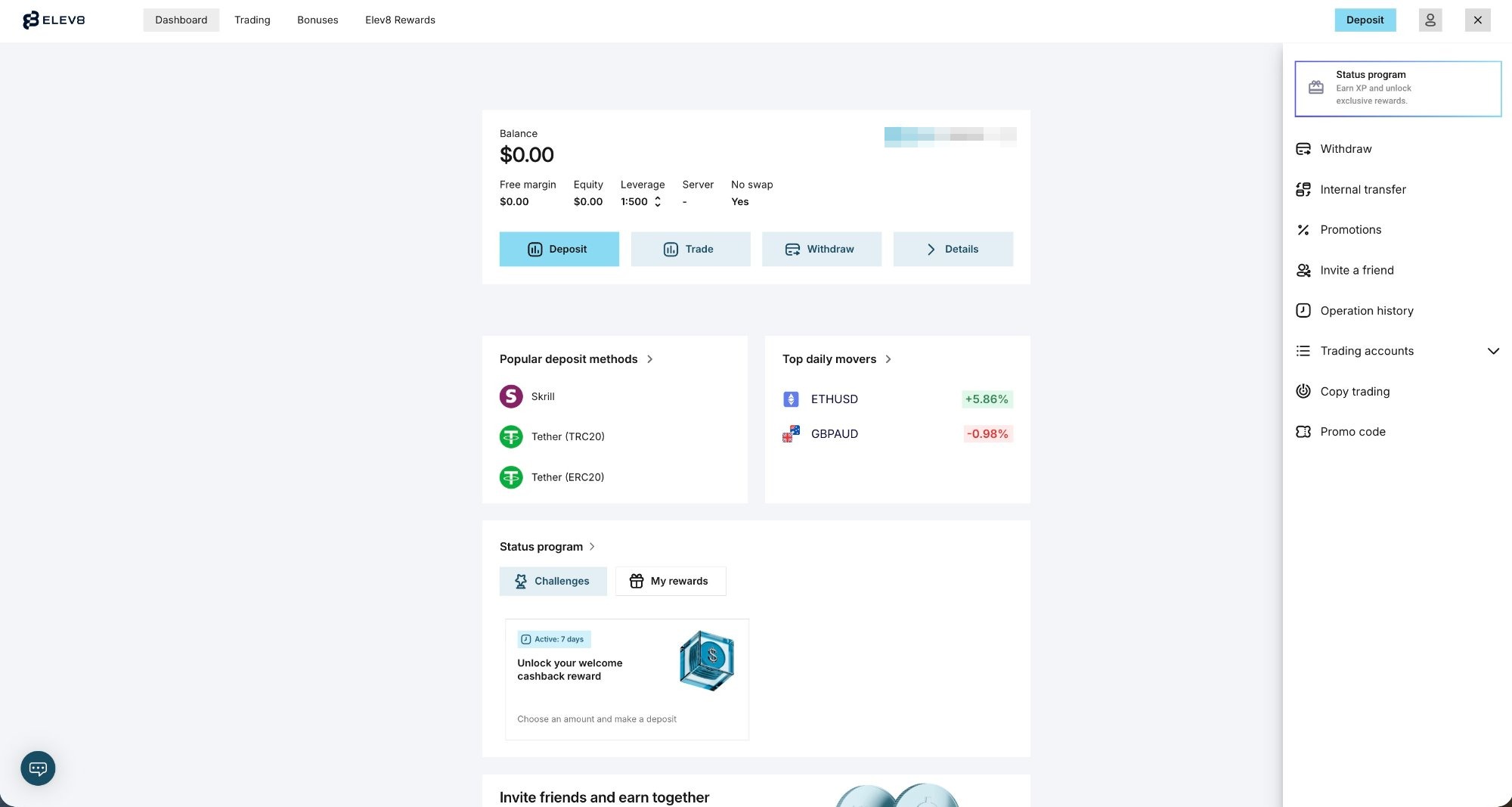
- You land on your Personal Area. This is the dashboard shown below, from where everything else is managed.
That's the whole login. If the credentials are correct, you're in within seconds. If they aren't, jump to the can't-log-in section further down.
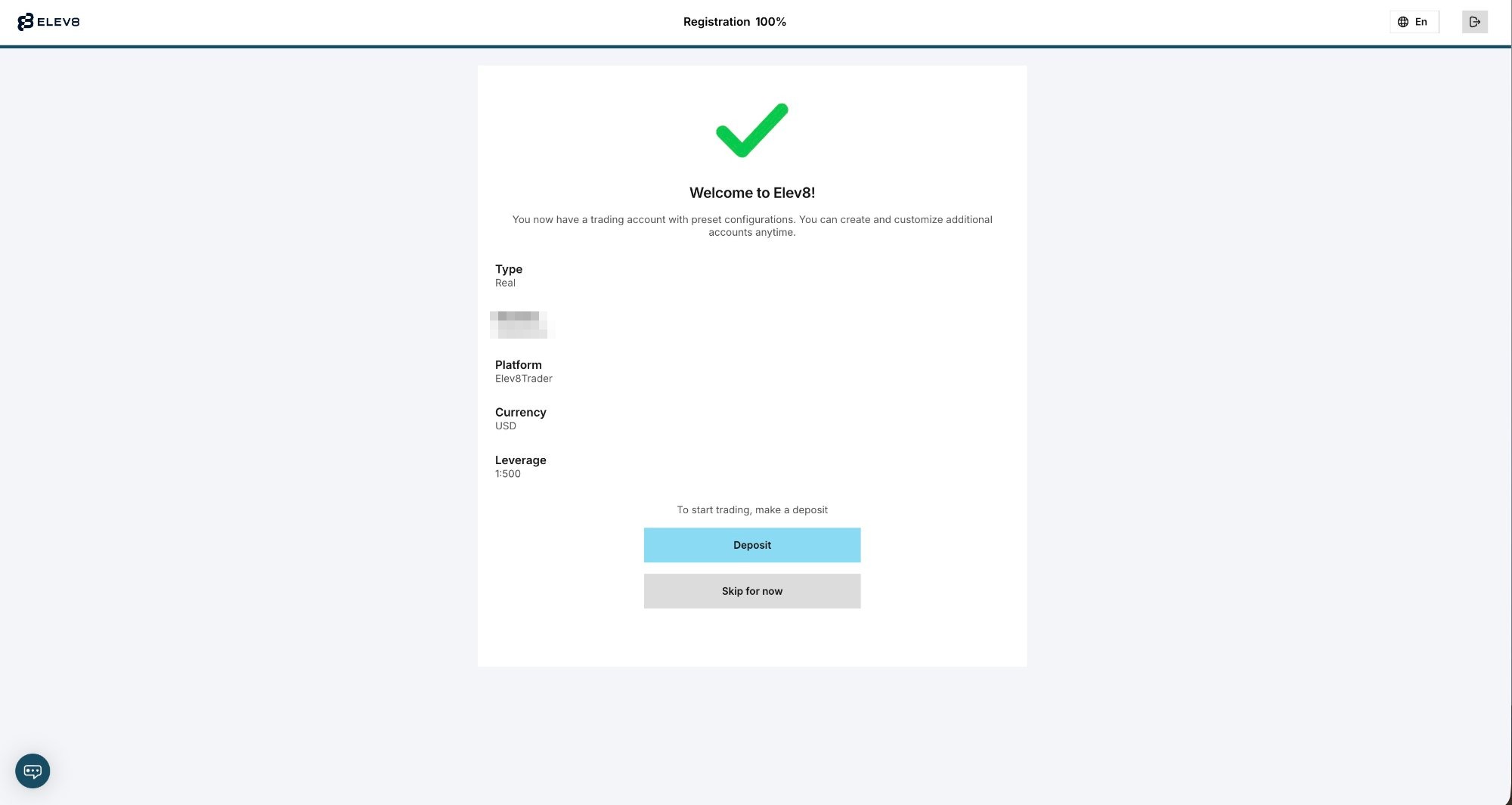
What the Personal Area does
The Personal Area (the Dashboard) is the reason you log in — it's the hub for everything except placing the actual trades. Once you're signed in, this is what it lets you do:
- Deposit and withdraw. Fund your account and request payouts. Deposits start from a $25 minimum, which varies by payment method and region.
- Open new accounts. Create additional real or demo accounts from the "Create Account" panel — choose a platform (MT4, MT5 or OctaTrader/Elev8Trader) and whether it's Real or Demo.
- Download and launch platforms. Get the desktop and mobile apps, or open the web terminal directly.
- Manage copy trading. Access the broker's copy-trading feature (OctaTrader Copytrading / Elev8 Copy) to follow or become a Master Trader.
- Complete verification (KYC). Upload your ID and proof of address — required before a real account can deposit and withdraw.
- See balances, history and bonuses. Track your accounts, transactions and any active promotion, such as the broker's 50% deposit bonus.
Feature set per the broker's published terms; exact labels and layout may differ when you're logged in. Under Elev8, the proprietary platform is called "Elev8Trader" in some regions — it is the same platform as OctaTrader.
One honest note, because the Personal Area is also where you fund the account: this broker is offshore-regulated only — by the FSC in Mauritius and MISA in the Comoros, not by a tier-1 regulator such as the FCA or ASIC, and the former CySEC (EU) entity was not carried into the Elev8 brand. Logging in and looking around costs nothing, but understand that regulatory reality before you deposit.
Logging in on the mobile app
The Personal Area is also available on your phone, and the login works the same way. There's a main broker app for managing your account and trading, plus a separate app for copy trading — pick whichever matches what you want to do.
- Install the broker's app from your device's official app store (search for the broker's current name).
- Open the app and choose to log in to an existing account.
- Enter the same email and password you use on the web — it's one account across web and mobile, so your balances and history are identical.
- Enable biometric unlock if your device offers it. Face or fingerprint sign-in, where available, saves you re-typing the password each time.
Because it's the same underlying account, anything you do in the app — depositing, opening an account, starting a trade — shows up when you next log in on the web, and vice versa. We're not going to quote app-store ratings or version numbers here, because those change constantly; just install the current official app for your device.
Logging in to the trading terminal (web, MT4, MT5)
Here's the distinction that trips people up. Signing in to your Personal Area is not the same as signing in to the platform where you place trades. The terminal uses your trading-account credentials — an account number and a trading password — which are separate from the email/password you use for the Personal Area. You'll find these trading-account details inside your Personal Area after you create an account.
There are three ways to reach the terminal:
| Terminal | How you get in | What you log in with |
|---|---|---|
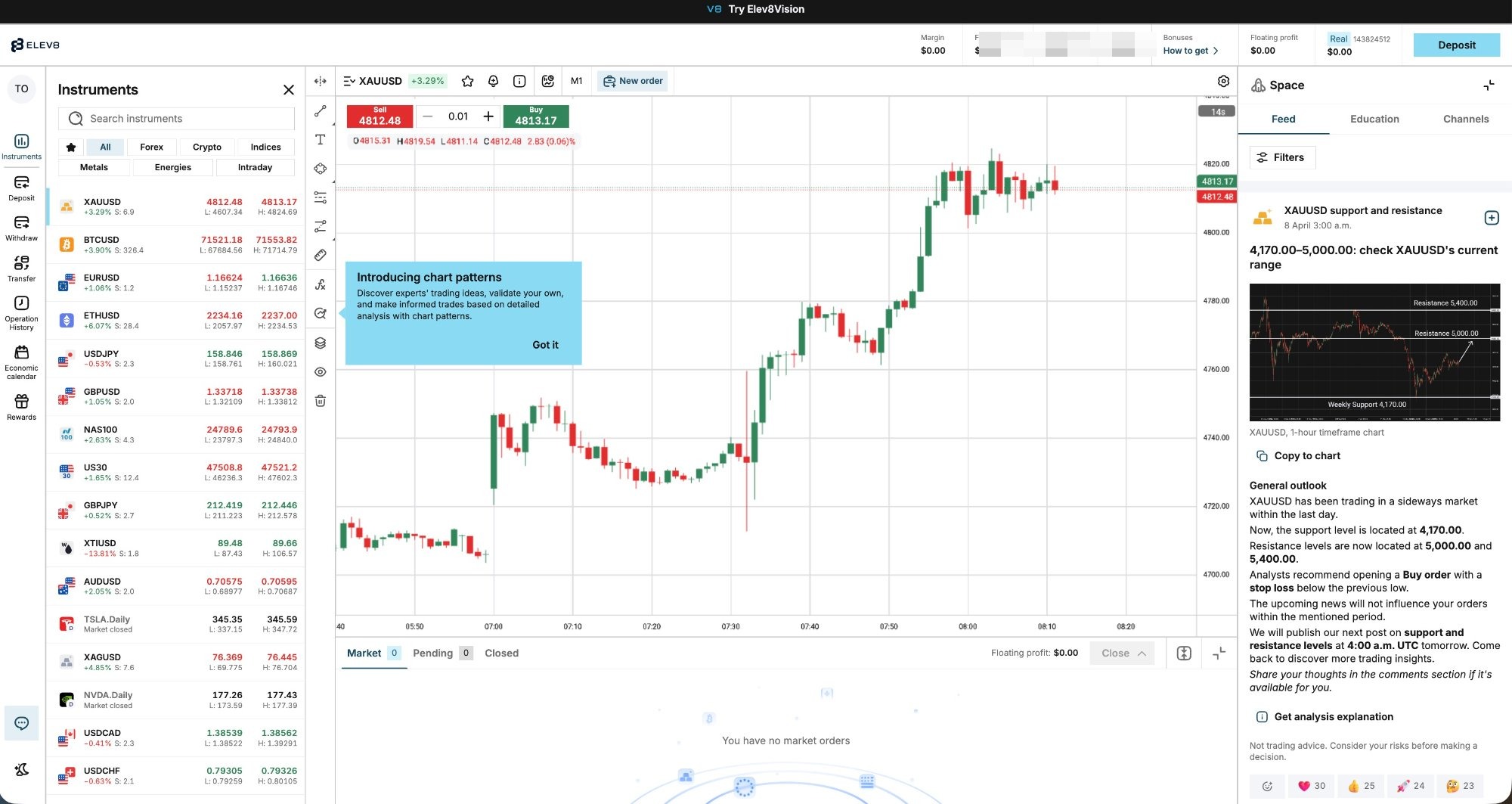
| Web platform (OctaTrader / Elev8Trader) | Opens in the browser from your Personal Area — no download | Usually launches straight from your logged-in Dashboard |
| MetaTrader 4 (MT4) | Download the desktop or mobile app | Trading account number, its password, and the correct server |
| MetaTrader 5 (MT5) | Download the desktop or mobile app | Trading account number, its password, and the correct server |
The proprietary web terminal is the quickest way to start — it needs no install and opens from the Personal Area you're already logged into.
For MT4 and MT5, the login is standard MetaTrader: after installing the app you enter your trading account number, the account's password, and select the server your account is on — all three are shown in your Personal Area. If MetaTrader can't connect, it's almost always the wrong server selected or the trading password confused with the Personal Area password. The web terminal, shown below, avoids most of that because it opens from inside your Dashboard.
Forgot password & can't log in
If your login won't go through, work through the likely causes in order — most are simple and don't mean anything is wrong with your account.
- Reset a forgotten password. Use the "Forgot password" link on the login screen. You'll get an email with a link to set a new password. Check spam if it doesn't arrive, and make sure you're resetting for the email you actually registered with.
- Check the obvious. Caps Lock, a stray space, or the wrong email address (if you have more than one) account for a surprising share of failed logins.
- Don't confuse your two logins. The Personal Area wants your email and password; the MetaTrader terminal wants your trading account number and its password. Using one where the other is expected will always fail.
- Use the current site. An old octafx.com bookmark should redirect, but if a saved page misbehaves, go to the current elev8.com address directly.
- Update the app or clear the browser cache. An outdated app or stale cached page can block a login that's otherwise correct.
- Check for a service outage. Occasionally the problem is on the broker's side, not yours.
If none of that works, the platform or site may be down, or the problem may be deeper. Our guide on why OctaFX isn't working and how to fix it walks through outages, connection errors and platform-specific fixes in detail. And if you're being told your account itself is restricted rather than just your password, see what to do when an OctaFX account is blocked.
Bottom line
Logging in to OctaFX (Elev8) comes down to one idea: the Personal Area uses your email and password and manages everything around your money — deposits, withdrawals, opening accounts and launching platforms — while the trading terminal (web, MT4 or MT5) uses a separate trading-account login for placing trades. Get that distinction right and most login problems disappear. On mobile it's the same account, just in the app.
New here? Registration is free, and once you're in you can add a free demo account to practise before funding a real one (from $25). When you're ready to move money, our withdrawal guide covers getting it back out.
The broker in this guide
Commission-free trading, copy trading, MT4/MT5 and OctaTrader. Minimum deposit from $25 (varies by method). Offshore-regulated (Mwali/Comoros) — read our full review before you decide.
Open OctaFX (Elev8) account →FAQ
What are my OctaFX (Elev8) login details?
Your Personal Area login is the email address and password you registered with. That's separate from your trading terminal login: MT4, MT5 and the web platform use a trading-account number and its own password, which you'll find inside your Personal Area after opening an account.
I have an old OctaFX account — can I still log in after the Elev8 rebrand?
Yes. OctaFX rebranded to Elev8 on 9 February 2026, and per the broker existing customers under its Mauritius and Comoros entities were migrated with the same account and login. The old octafx.com address redirects to the current site, so your existing email and password should still work.
How do I reset my OctaFX password?
Use the "Forgot password" link on the login screen. The broker emails you a link to set a new password — check your spam folder if it doesn't arrive, and make sure you're resetting for the email you originally registered with.
Why can't I log in to OctaFX?
The usual causes are a mistyped email or password, Caps Lock, confusing your Personal Area login with your trading-account login, an outdated app, or a cached page. Reset your password if needed. If the site or platform itself seems down, see our guide on why OctaFX isn't working and how to fix it.
Is the Personal Area login the same as my MT4/MT5 login?
No. The Personal Area (Dashboard) uses your email and password. MT4 and MT5 use a separate trading-account number, that account's password, and the correct server — all shown in your Personal Area. Using one set of details where the other is expected is the most common login mistake.
Ready to log in and get started?
Register a free account, verify your details, and sign in to the Personal Area to open an account (from $25) and launch your platform.
📢 OctaFX is now Elev8 — same broker, same account. You’ll see the Elev8 name and logo after you click.
Open OctaFX (Elev8) account →Trading forex/CFDs carries significant risk. This is general information, not financial advice.