How-to guides
OctaFX (Elev8) App: MT4, MT5, OctaTrader & Web (2026)
MT4, MT5, the proprietary OctaTrader/Elev8Trader, a no-download web terminal and a copy-trading app — what each one is, where it runs, and which to pick.
 Reviewed by TalhaUpdated 2026-07-11
OctaFX — now trading as Elev8 — gives you several ways to trade one account: MetaTrader 4, MetaTrader 5, the broker's own OctaTrader (called Elev8Trader under the new brand) and a browser-based web terminal that needs no download at all — plus a separate copy-trading app. They all connect to the same account, so the choice is about which interface suits you, not which broker you're using. This guide explains what each app is, where it runs, how to get it, and which one to pick — with an honest note on what a slick app does and doesn't tell you about a broker.
Contents
Pick a platform and try it free
The fastest way to choose is to open a free OctaFX (Elev8) account, load the web terminal or OctaTrader, and click around on a demo before you risk anything. Sign-up takes about 3 minutes.

📢 OctaFX is now Elev8 — same broker, same account. You’ll see the Elev8 name and logo after you click.
Open OctaFX (Elev8) account →Trading forex/CFDs carries significant risk. This is general information, not financial advice.
The apps & platforms at a glance
OctaFX rebranded to Elev8 on 9 February 2026 — the old octafx.com now redirects to elev8.com — but the broker stated the change was to brand and visual identity only, so the apps, accounts and trading conditions carry over unchanged. Whichever name you see, you get the same platform line-up:
- MetaTrader 4 (MT4) — the long-standing, industry-standard forex platform.
- MetaTrader 5 (MT5) — the newer MetaTrader with more instruments and tools.
- OctaTrader — the broker's own proprietary platform (branded Elev8Trader under the new name).
- Web terminal — trade in your browser with nothing to install.
- Copy-trading app — a separate app for mirroring other traders.
The important thing to understand up front: MT4 and MT5 are third-party software made by MetaQuotes and used by hundreds of brokers, whereas OctaTrader/Elev8Trader is built by the broker itself. All of them connect to the same account, so switching platform doesn't mean switching broker or re-registering — it's just a different front-end on the same money. If you're still deciding whether the broker itself is for you, start with our what is OctaFX (Elev8)? overview.
MetaTrader 4 & MetaTrader 5
MetaTrader is where most people start, because it's the software the whole retail-forex world already knows. OctaFX (Elev8) supports both versions, and they come in the standard MetaTrader formats:
- Desktop app for Windows; Mac users can trade through the web terminal or the mobile app instead.
- Web terminal that runs in any browser — no install needed.
- Mobile apps for Android and iOS.
MT4 vs MT5 in one line: MT4 is the simpler, lighter classic — ideal if you mainly trade forex and want to run automated strategies (Expert Advisors). MT5 is the newer engine with more timeframes, additional order types, more built-in indicators and a wider instrument range. Neither is universally 'better'; MT4 is friendlier for pure-forex beginners, MT5 suits traders who want more markets and tools.
On both, OctaFX's accounts are commission-free, so your trading cost sits in the spread rather than a separate per-trade fee — we break that down in our OctaFX spread guide. The account base currency is USD (EUR may be available depending on entity or region — check the broker's current terms).
OctaTrader / Elev8Trader & the web terminal
OctaTrader is the broker's own platform, and it's the one most beginners find easiest. Under the Elev8 brand it's referred to as Elev8Trader in some regions — the same proprietary platform, just renamed. It comes in two forms:
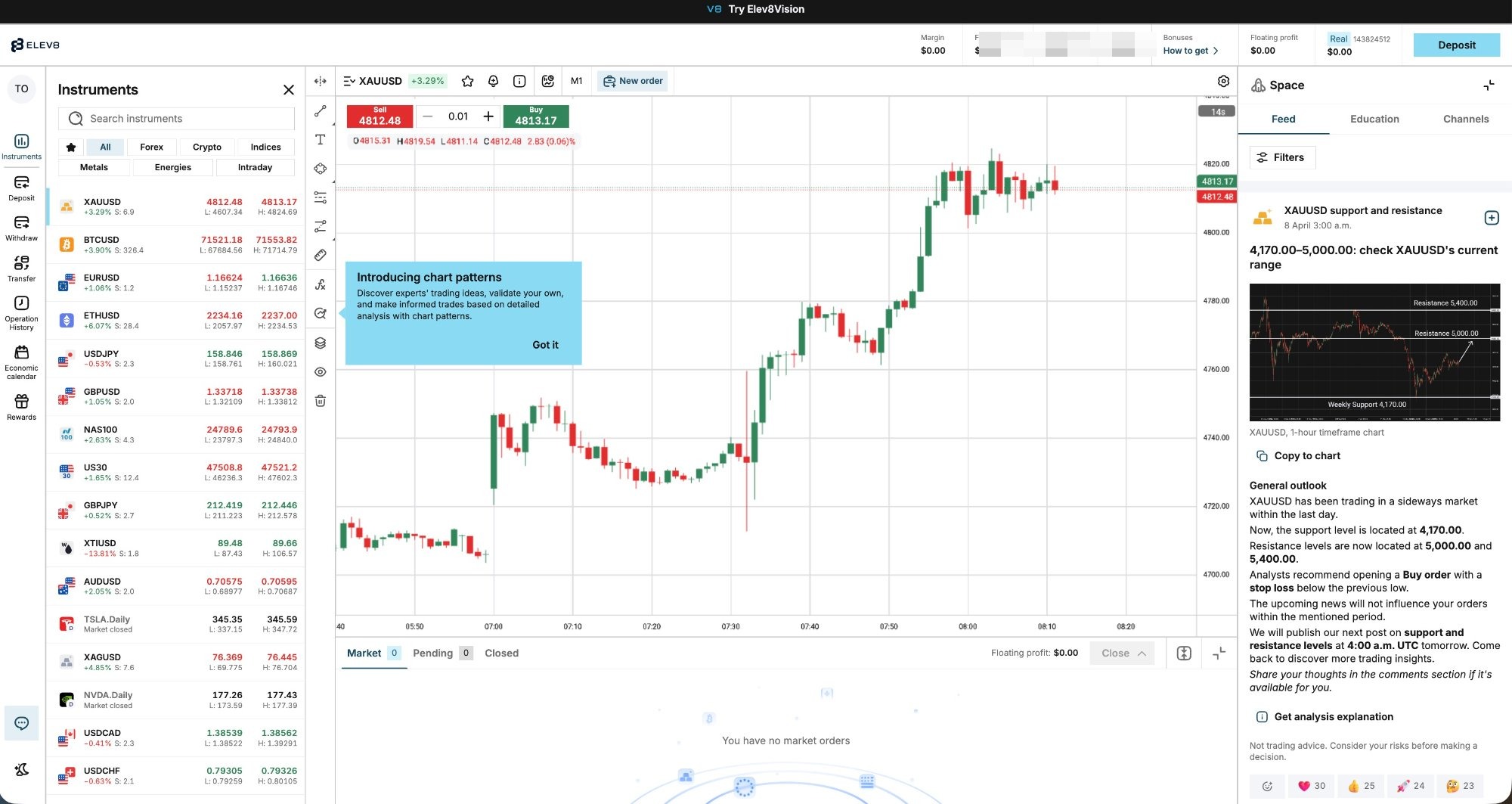
- Web terminal (no download). Open it in your browser, log in, and trade — nothing to install. This is what the screenshot below shows, captured from the real account we opened.
- Mobile app. The same proprietary platform on your phone for trading on the go.
Compared with MetaTrader, OctaTrader/Elev8Trader has a cleaner, more guided interface — fewer menus, plainer language — which is why it tends to suit newcomers who find MetaTrader busy. It's also where the broker surfaces its own features in one place. If you already know MetaTrader inside out you may prefer MT4/MT5's familiarity; if you're starting fresh, OctaTrader is usually the gentler entry point. Either way, the web terminal is the fastest way to see the platform without installing anything.
The copy-trading app
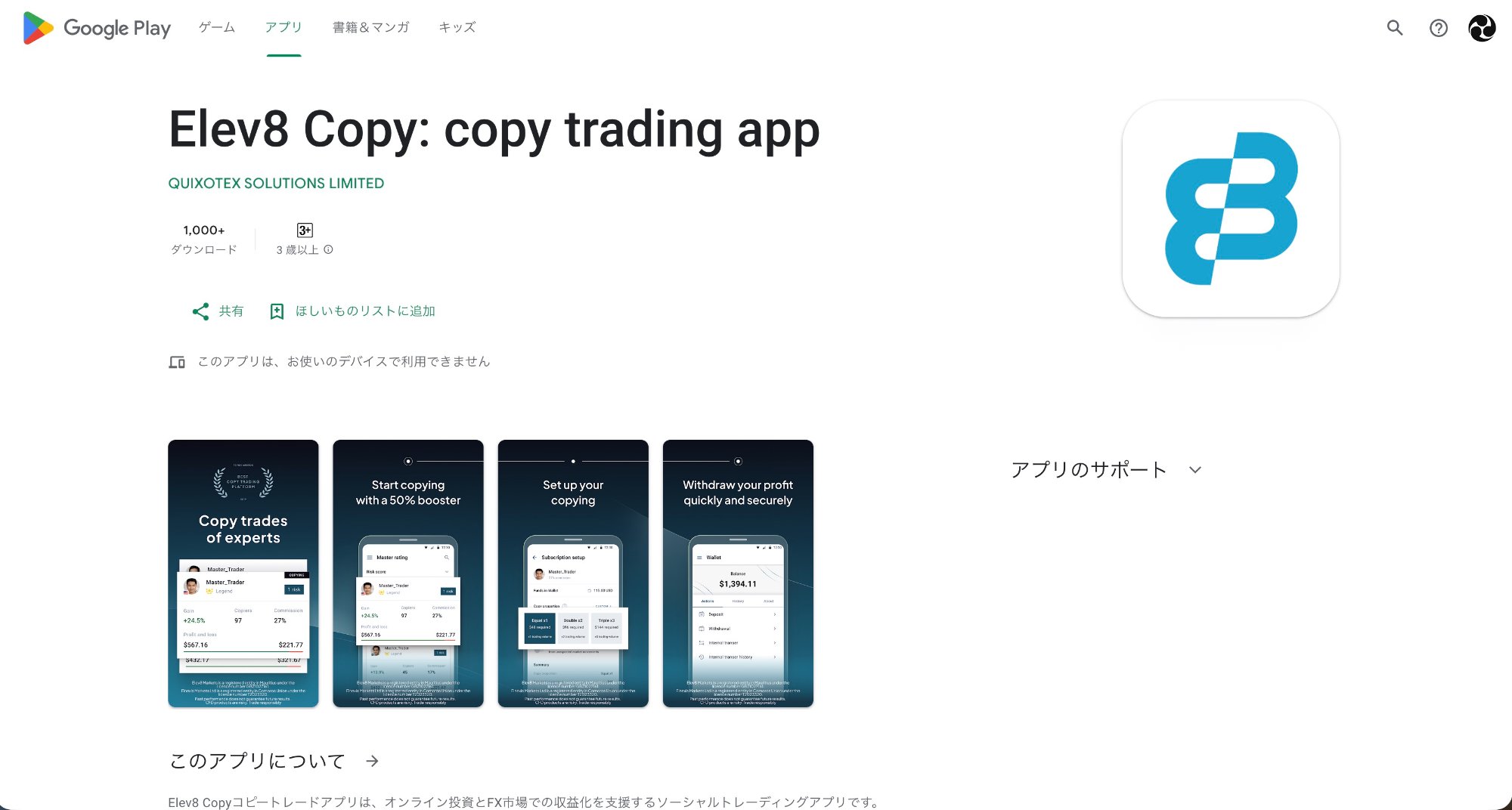
Copy trading has its own dedicated app, separate from the trading terminals above. It's a genuine broker-built feature — branded Octa Copytrading, and Elev8 Copy under the new name — with a Copier app for people who want to mirror someone else's trades and a Master Trader app for those who want to be copied. You don't need it to trade normally; it's a distinct product for hands-off, copy-based trading.
In brief: a Copier funds a wallet and automatically mirrors a chosen Master Trader's positions; the Master earns a commission, which is charged from Copiers weekly (on Saturdays), and negative-balance protection means you can't lose more than you put in. It's a real feature — but 'real' isn't 'guaranteed profit'. Past performance doesn't predict future results, and you're still exposed to the copied trader's losses. We cover the full mechanics, costs and caveats in our copy trading guide, and you can browse Master Traders' real stats on the broker's copy trading page.
Which platform should you choose?
All of these options trade the same account, so pick by how you like to work, not by fear of missing out. Here's the quick decision guide:
| Platform | Best for | Where it runs |
|---|---|---|
| MetaTrader 4 | Pure-forex beginners; automated strategies (EAs) | Windows desktop, web, Android/iOS |
| MetaTrader 5 | Traders wanting more instruments, timeframes and order types | Windows desktop, web, Android/iOS |
| OctaTrader / Elev8Trader | Newcomers who want a clean, guided interface | Web terminal (no download) + mobile app |
| Web terminal | Anyone who doesn't want to install anything | Any modern browser |
| Copy-trading app | Hands-off traders who want to mirror a Master | Dedicated mobile app |
Platform availability and formats follow the broker's published terms; confirm what's offered for your device inside your account.
Not sure? A sensible default is to open the web terminal or OctaTrader first — no download, easy interface — and switch to MT4/MT5 later if you want their tooling. Whatever you choose, you can try it on a free demo with virtual funds before risking real money.
How to download and log in
Getting any of these apps follows the same path, and it starts from your account rather than the app itself:
- Open a free account. Register on the broker's sign-up page to get your Personal Area — the dashboard where accounts, funding and downloads all live.
- Create the trading account you want (MT4, MT5 or OctaTrader) from the Personal Area; you can have more than one.
- Download from official sources only. Get MetaTrader and the broker's apps from the links inside your Personal Area or the official app stores — not a random 'OctaFX' or 'Elev8' app from an unknown site, which is how fake trading apps spread.
- Or skip the download entirely and open the web terminal in your browser — same account, nothing installed.
- Log in with the credentials your Personal Area shows when you created the trading account.
Bottom line
OctaFX (Elev8) gives you the same account across several front-ends: MT4 and MT5 for the MetaTrader crowd, the broker's own OctaTrader/Elev8Trader for a cleaner start, a no-download web terminal for trading straight in the browser, and a dedicated copy-trading app for mirroring other traders. They all connect to one account, so the decision is purely about which interface fits you.
If you're new, start with the web terminal or OctaTrader on a demo; if you know MetaTrader, jump straight to MT4 or MT5. Download only from official sources, and remember that the smoothest app in the world doesn't change the fundamentals: this is a commission-free but offshore-regulated broker, so verify the live terms in your account and size any deposit accordingly.
The broker in this guide
Commission-free trading, copy trading, MT4/MT5 and OctaTrader. Minimum deposit from $25 (varies by method). Offshore-regulated (Mwali/Comoros) — read our full review before you decide.
Open OctaFX (Elev8) account →FAQ
What platforms and apps does OctaFX (Elev8) offer?
One account works across MetaTrader 4, MetaTrader 5, the broker's proprietary OctaTrader (called Elev8Trader under the new brand) and a browser-based web terminal — on desktop and mobile — plus a separate app for copy trading. MT4 and MT5 are third-party MetaTrader software; OctaTrader is built by the broker itself.
Do I have to download an app to trade, or can I use a browser?
You can trade with no download at all: the web terminal (and OctaTrader/Elev8Trader in the browser) runs the same account inside any modern browser. Downloads are optional — MetaTrader has a Windows desktop app and Android/iOS mobile apps, and the broker's own platform has a mobile app too.
Is OctaTrader the same as Elev8Trader?
Yes. OctaTrader is the broker's proprietary platform; after the February 2026 rebrand from OctaFX to Elev8, it's referred to as Elev8Trader in some regions. It's the same platform under the old and new branding, with the same trading conditions.
Should I choose MT4, MT5 or OctaTrader?
MT4 suits pure-forex beginners and automated strategies; MT5 adds more instruments, timeframes and order types; OctaTrader/Elev8Trader has the cleanest, most beginner-friendly interface and needs no download in the browser. They all trade the same account, so try them on a free demo and keep whichever fits.
Is there a separate app for copy trading?
Yes. Copy trading uses a dedicated app (Octa Copytrading, now Elev8 Copy) with a Copier app for mirroring a Master Trader and a Master Trader app for being copied — separate from the standard trading terminals. It's a genuine broker-built feature, but copied performance is never guaranteed.
Ready to trade on your platform of choice?
Open a free account, download MT4, MT5 or OctaTrader — or just use the no-download web terminal — and start on a demo, then go live from $25 when you're ready.
📢 OctaFX is now Elev8 — same broker, same account. You’ll see the Elev8 name and logo after you click.
Open OctaFX (Elev8) account →Trading forex/CFDs carries significant risk. This is general information, not financial advice.